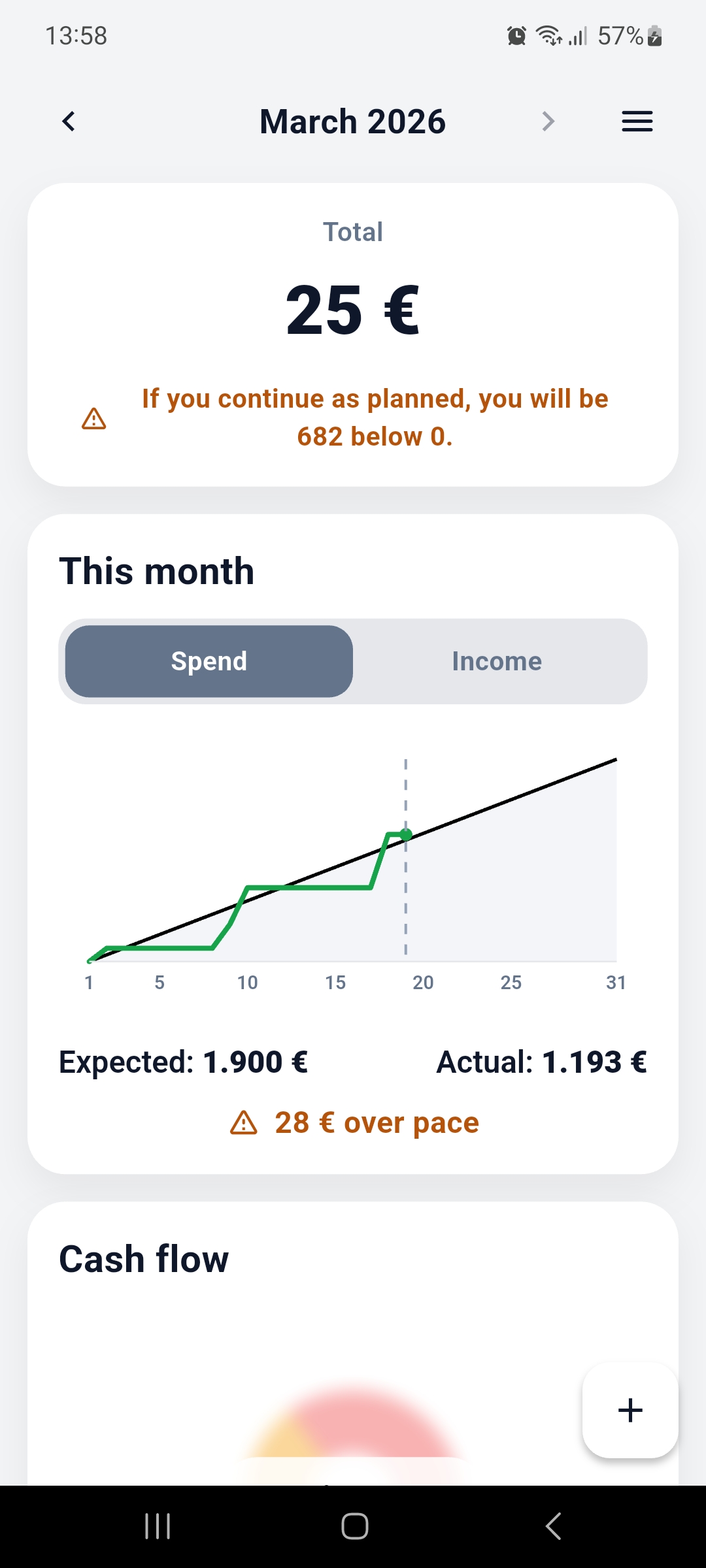
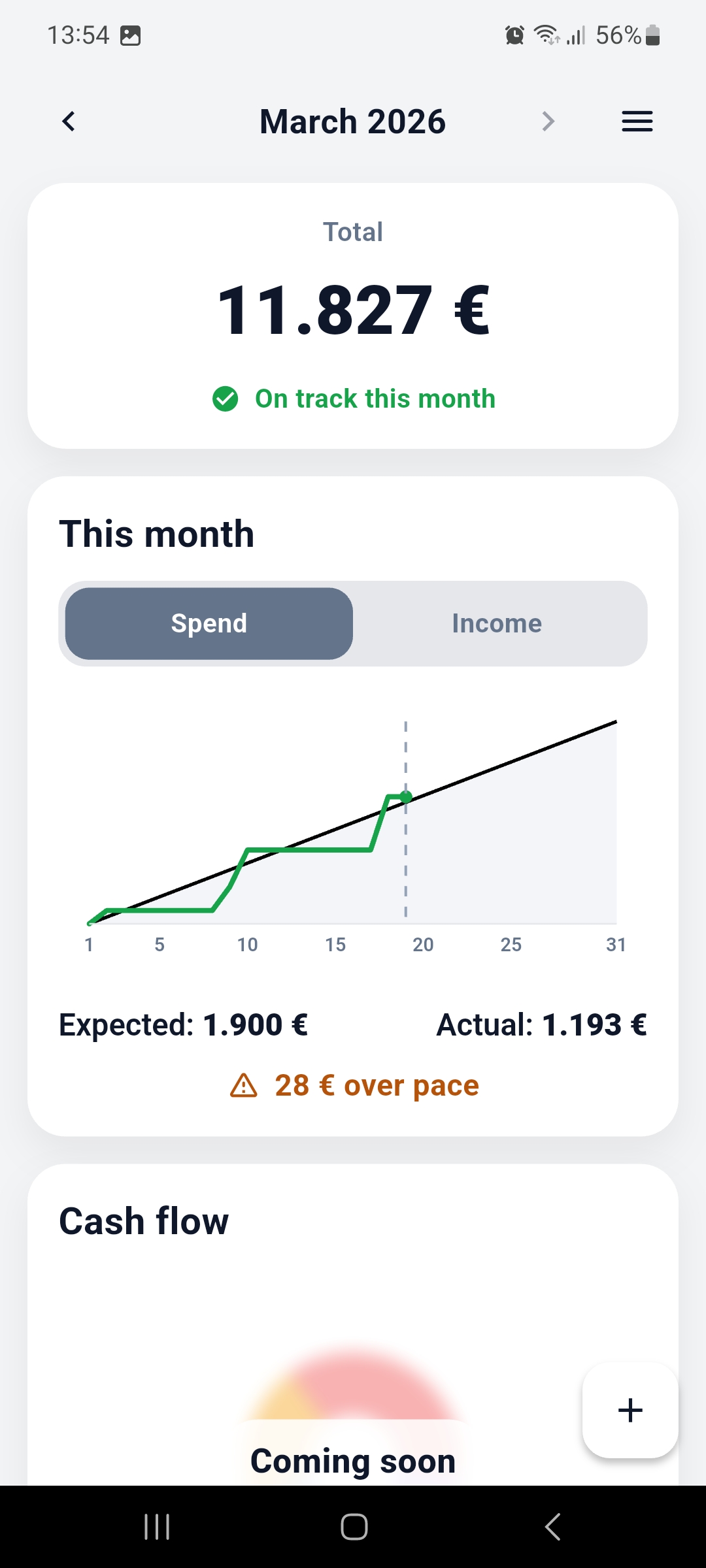
See your total and whether you are on track this month the moment the app opens.
Simple monthly money clarity
Know what's safe to spend.
MoneyPace shows if you're on track this month, based on what you planned and what has actually happened. Fast to check, easy to understand, and built for real life.
See what is safe at a glance
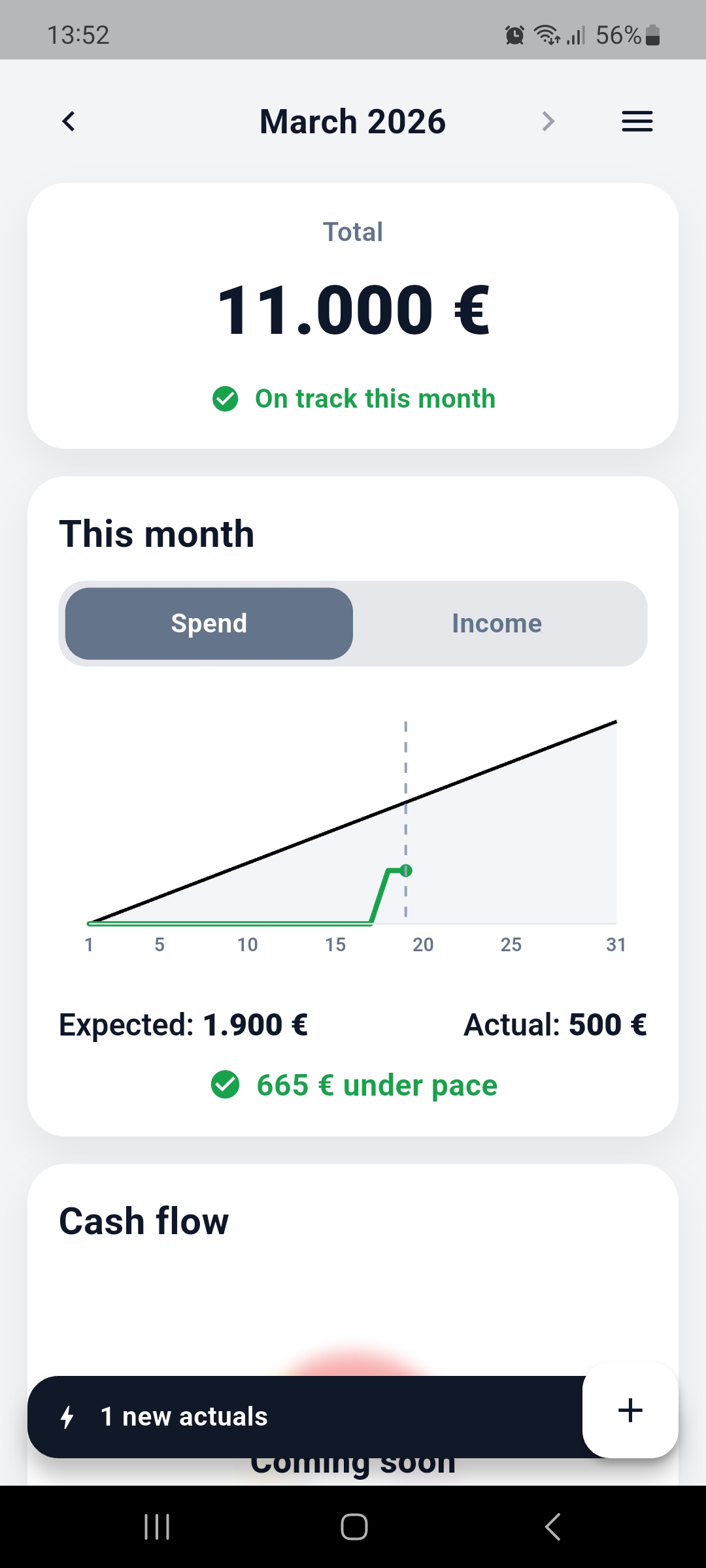
Compare plan vs reality
No spreadsheets. No jargon.
Why it exists
Your bank balance is not the same as what is safe to spend.
Most people guess. MoneyPace helps you see this month clearly: what you expected, what really happened, and whether you are still okay.
MoneyPace is a calm safety check for your money. Built to help you avoid end-of-month surprises without turning your life into a budgeting project.
One quick check. One clear answer. This month.
See where you stand
Get a simple monthly view of total, expected spending, actual spending, and whether you are ahead or behind pace.
Compare plan vs reality
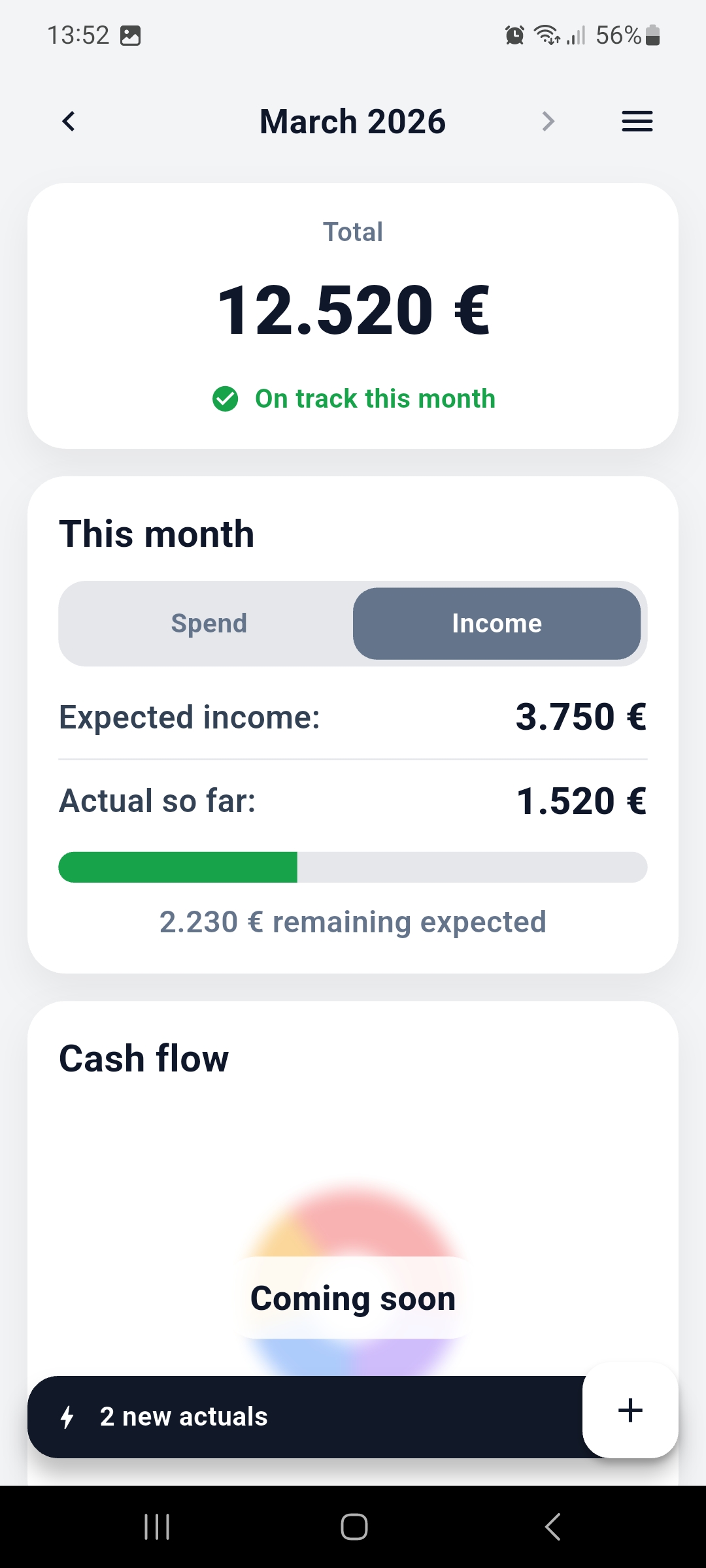
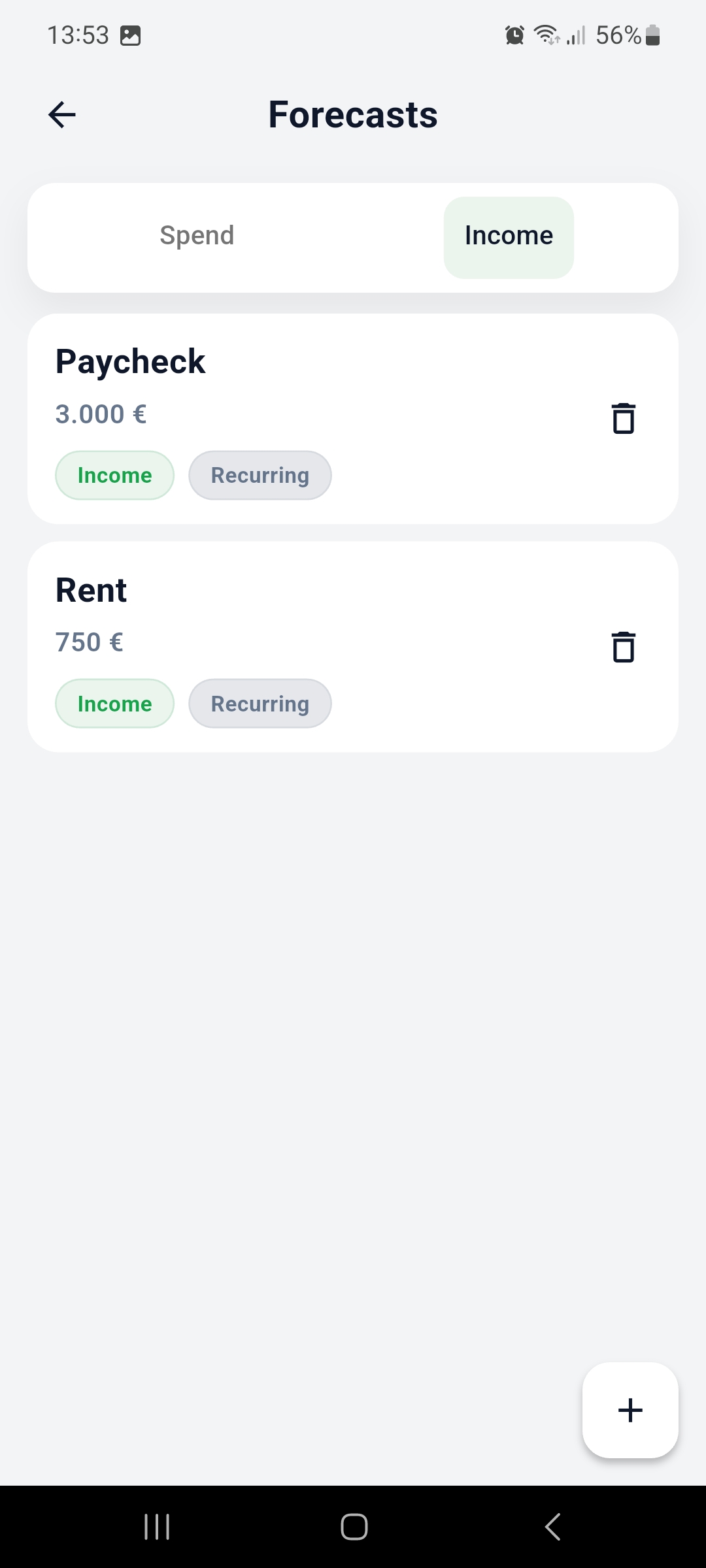
Set your expected income and spending, then use actuals to see what has changed and what it means.
Stay in control
Use MoneyPace to feel more confident, spot problems earlier, and spend with less guesswork.
What you get
Simple enough to understand in a flash.
The product is visual by design: a clear monthly picture, quick comparisons, and enough detail to stay grounded without getting lost.
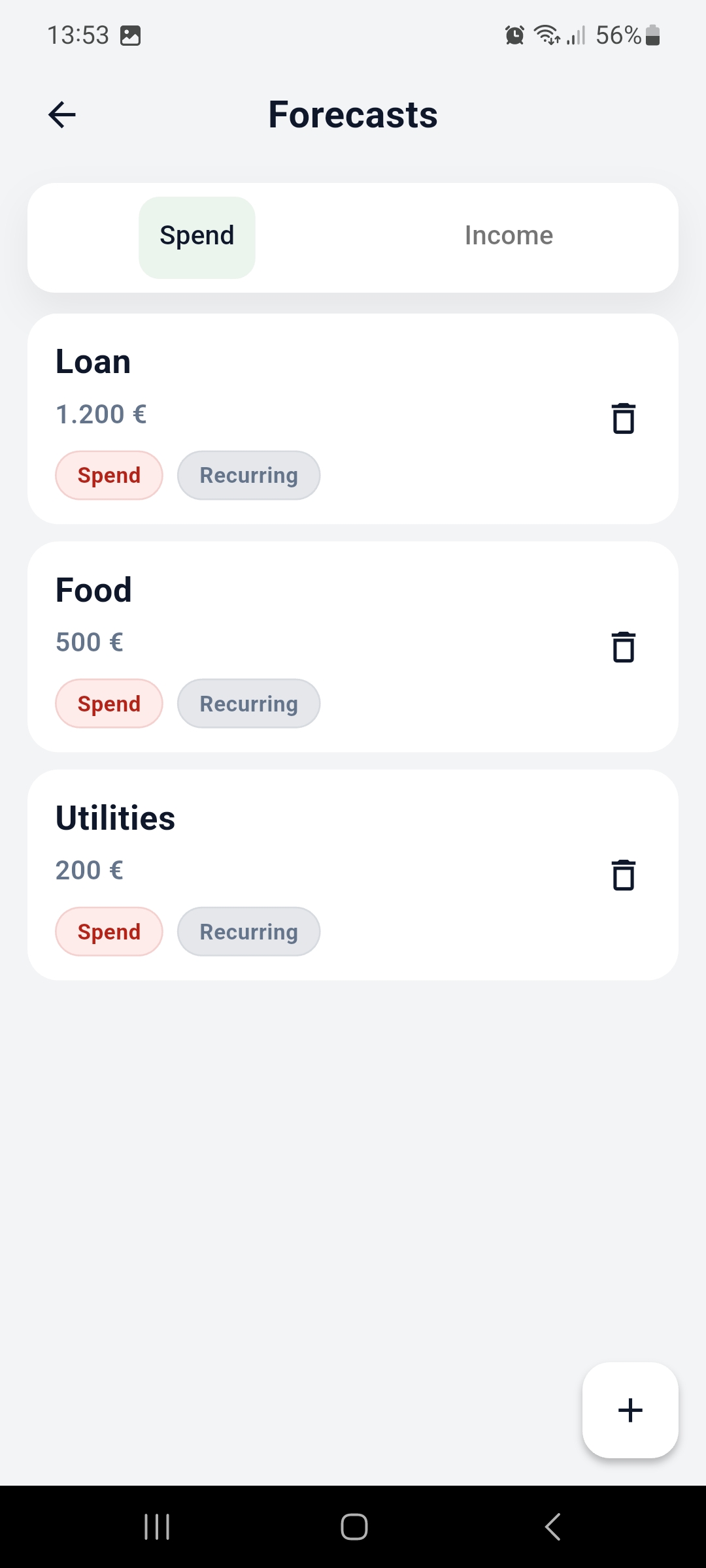
Add the usual income and spending you expect so your month has a clear baseline.
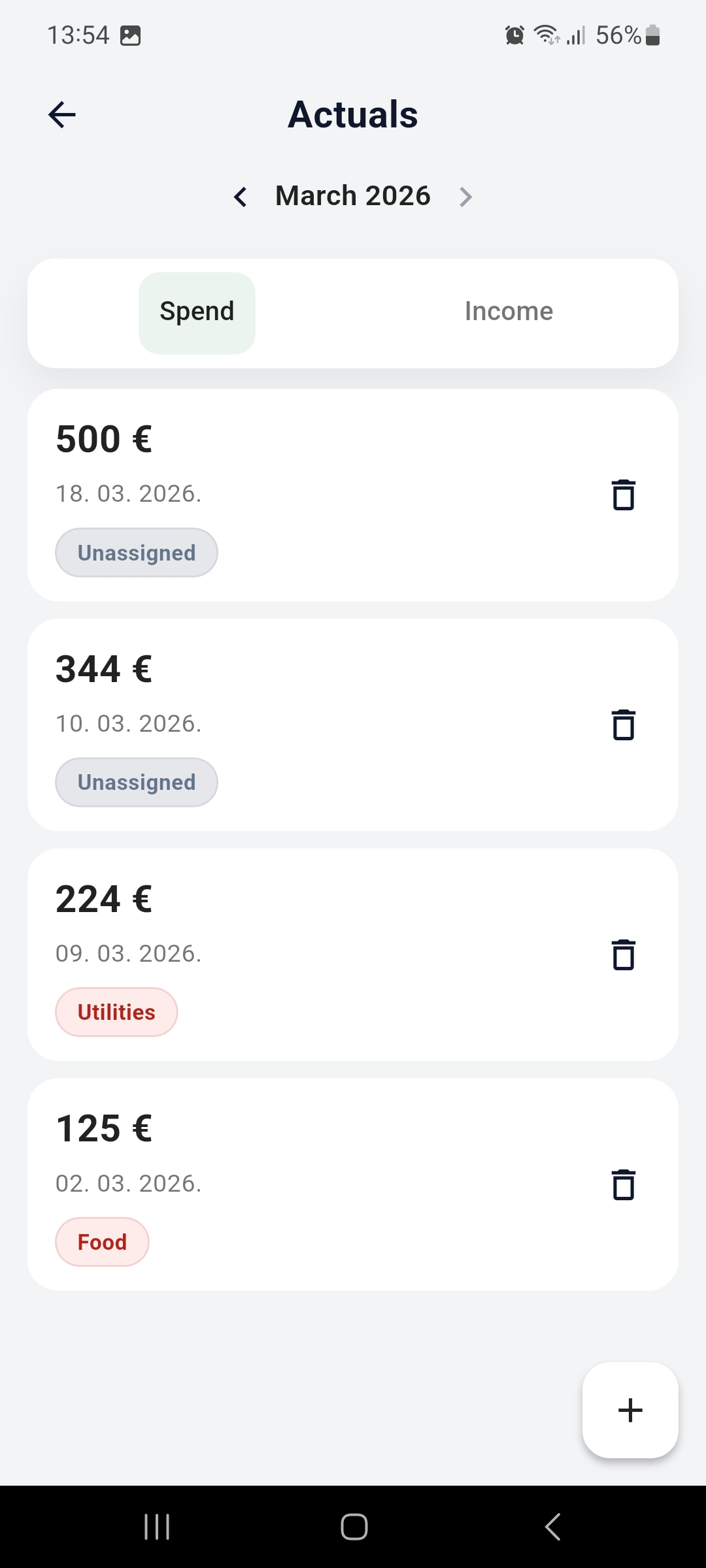
Add actuals manually, or connect your bank for a smoother way to compare real life against plan.
Spot when you are under pace, over pace, or heading toward a problem before the month ends.
How it works
Three steps. No spreadsheet brain required.
MoneyPace is meant to be checked quickly and understood immediately.
1
Set your monthly plan
Add the income and spending you expect, so the month has a simple baseline.
2
Track what really happens
Add actuals yourself, or connect your bank for a more automatic monthly view.
3
See what is safe
Open the app and instantly see whether you are on track, under pace, or drifting.
Screens
Built to make the month make sense.
These screens are designed to answer the practical questions quickly: where am I, what changed, and do I need to slow down?
Extra context
Clear enough for good months and bad ones.
MoneyPace is not only about staying on track. It also makes warnings visible early, so you can react before the month gets away from you.

Download
Try MoneyPace.
Download the app, open your month, and see what is safe to spend.
Start simply, then connect your bank for a more automatic view.
QR code
Scan on your phone